What Is Spoofing and How To Avoid It?

Highlights:
- Spoofing happens when someone creates a fake identity to get your personal information.
- Spoofing can occur across many different platforms. Spoof calling and caller ID spoofing are the most common strategies.
- Be cautious of unexpected calls from numbers you don't recognize.
As the years go on, technology becomes more advanced. As this happens, fraudsters start to use this new technology to take advantage of you. It's important that you stay aware of these dangers to help protect you and your family. Spoofing has been around for several years now, but AI tools have made it more advanced and harder to detect. Continue reading to learn what spoofing is and how to avoid falling for these scams.
What is spoofing?
Spoofing occurs when someone creates a fake identity to make you trust them. Their goal is to get your money or personal information with this fake identity. Spoofers use different strategies to contact you, like emails, texts and phone calls.
- Voice spoofing. This is the most recent type of spoofing. Hackers use AI tools to mimic the voice of a friend or family member. They make it sound like they are in trouble and need money immediately. They can use different ways to target you, but phone calls are the most common.
- Phone call spoofing. Spoof calling is when the hacker uses an app or a piece of hardware to falsify their caller ID and phone number. It's one of the most common methods used to target and steal personal information. Scammers may fake the number of a government agency or company you know and trust. If you answer, they may try to act as a government official or customer service rep. They will attempt to gain access to your personal information.
- Text spoofing. Like phone call spoofing, text spoofing uses an app or website to mimic a phone number and contact you via text. Oftentimes, the text is what's known as a smishing scam. It may contain a link that, when clicked, can install malware on your device. It may also ask you to input your private information.
- Email spoofing. Hackers imitate emails that appear to be from companies you may interact with. The email may include call-to-action messages that make you click on a fraudulent link. For example, a spoofer might say that your package was not delivered and you need to click on a link to know where it is. Sophisticated email spoofs mimic the logos and graphics of these trusted organizations. They aim to hide the fact that the email originated from a fraudulent source.
- Website spoofing. Organisations have seen a rise in AI-assisted domain abuse, including fake websites and cloned storefronts. Hackers create a fake malicious website with convincing webpages. They may even include digital certifications and password reset instructions. The goal is to trick visitors into thinking that they're using a legitimate website. Links to these fake websites may be in phishing emails or smishing text messages.
How can you recognize spoofing?
Spoofing is unfortunately very common, but that also makes it easier to spot. First, pay close attention to the unexpected. If you get an unexpected call or text from a number you don't recognize, it could be a spoofing attempt. It's good practice to ignore the call and let it go to voicemail. Most legitimate callers will leave a message. Scammers may leave suspicious-sounding automated messages or no message at all. Also, avoid calling back unfamiliar numbers when you can.
Next, you should look for suspicious links or requests for actions. Pay attention to the links in the emails as these could also link to fraudulent websites. Also, if they make the message seem urgent, you should proceed with caution. Finally, if you do decide to take the call, avoid answering “yes” or “no” to any questions. Some scammers may ask questions like “Can you hear me?” and then wait on the line for your answer. They may record your answers and later used to pose as you and gain access to your sensitive information.
How else can you protect against spoofing?
- Learn the warning signs of phishing and spoofing scams. Protecting yourself against scams starts with recognizing the warning signs. Many government agencies provide tips on how to better protect your personal information. These include the Federal Communications Commission (FCC.gov) and the Federal Trade Commission (consumer.ftc.gov). The Equifax® Knowledge Center also helps keep you informed about other common scams.
- Don't open or click anything from a suspicious message. Oftentimes, scammers send links in emails, texts or another form of communication. Never click on any unsolicited links sent to you. Consider if a message is suspicious, and delete strange messages immediately. If you're not sure if an email is legitimate, find the company's contact information online and reach out to them.
- Focus on privacy online. Share as little of your personal information as possible on the internet. Avoid posting details like your full name, birthdate and home address on social media. Make sure you have secure passwords for all your online accounts. You should also adjust the privacy settings so only people you approve can see your account.
- Track your credit reports and scores. Review your credit reports and credit scores often. You want to make sure that the information is accurate and complete. Be sure to also look for any signs of fraud or identity theft. You can get free credit reports from Equifax, TransUnion® and Experian® at AnnualCreditReport.com. If you see suspicious activity on your credit reports, place a fraud alert or security freeze.
It is impossible to avoid spoofing altogether. But there are steps you can take to stay alert and help protect your personal information. Equifax wants to make it easy to stay on top of your credit and protect your identity online. With Equifax Complete™ Family Plan, you can help protect your family's credit and identity. Equifax Complete™ Family Plan allows you to create, lock and monitor the Equifax credit reports of up to four children. We also scan fraudulent websites and alert you if we find your family's information. There are now millions of ways to fall victim to fraudsters. Equifax works hard to protect the credit and the identity of your whole family.
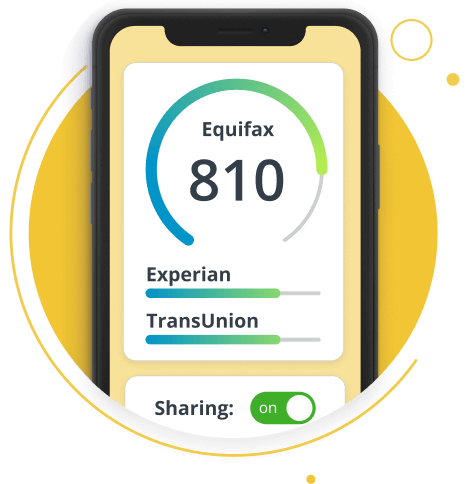
Gain greater peace of mind by monitoring your family's credit card numbers, social security numbers, & bank accounts with Equifax Complete™ Family Plan.
Related Content